Your first session
Ten minutes. One chat box. No tech skills.
Five short steps, each with prompts you can copy. Tap a step to jump straight to it.
Everyone keeps saying "just use AI for that." Your boss, your nephew, that one guy on LinkedIn. But nobody actually tells you where to start. Good news: you need about 10 minutes, zero technical skills, and no credit card. Let's go.
What is an AI chatbot (in plain English)?
An AI chatbot is a website or app where you type a message and it writes back, like texting a very fast assistant who has read a huge part of the internet. It can explain things, write drafts, summarize long text, brainstorm ideas and help you plan.
What it is not: a search engine that's always right. It sometimes makes things up with total confidence (people call this "hallucinating"). Think of it as a clever intern: super helpful, but you still check its work.
Which free AI should you pick?
Honestly? Any of these is fine for your first 10 minutes. They all have free versions.
| Tool | Good for | Sign in with |
|---|---|---|
| ChatGPT | All-round everyday help, the most popular | Google, Microsoft, Apple or email |
| Claude | Writing, long documents, natural-sounding text | Google or email |
| Gemini | Works nicely with Gmail, Docs and other Google apps | Your Google account |
| Microsoft Copilot | Built into Windows and Edge | Microsoft account |
Your 10-minute plan, minute by minute
Open it and sign in
Go to the tool's official website or download the official app from your app store. Sign in with an account you already have. You'll see an empty box that says something like "Message..." or "Ask anything". That's where the magic happens.
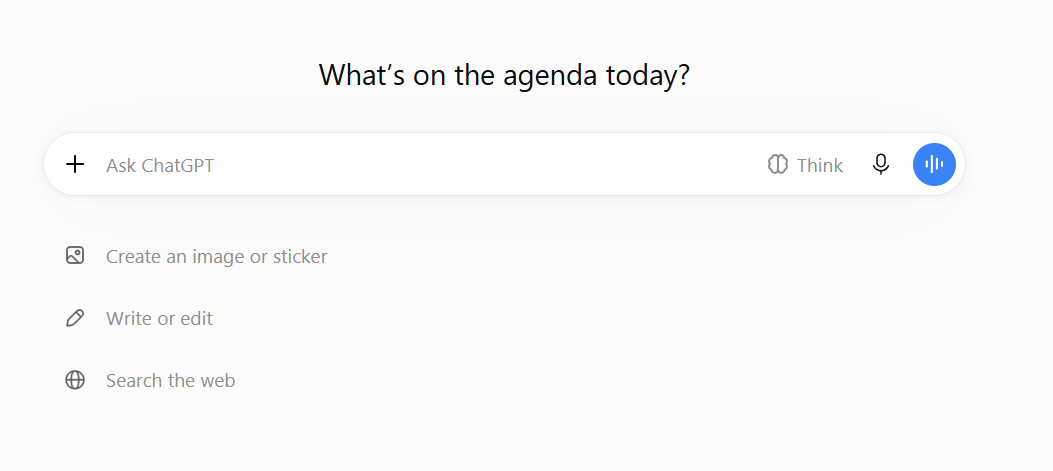
This is what you'll see. Type in the "Ask ChatGPT" box.
Ask your first question
Type like you're talking to a person. No special codes needed. Try this:
Press Enter and watch it write. Congratulations, you've officially used AI. 🎉
Have a conversation (this is the secret)
Most beginners ask one question, get a so-so answer and leave. The real power is in follow-ups. The AI remembers what you said earlier in the same chat, so you can steer it:
See how the answer gets better each time? That's the whole skill: ask, look, adjust.
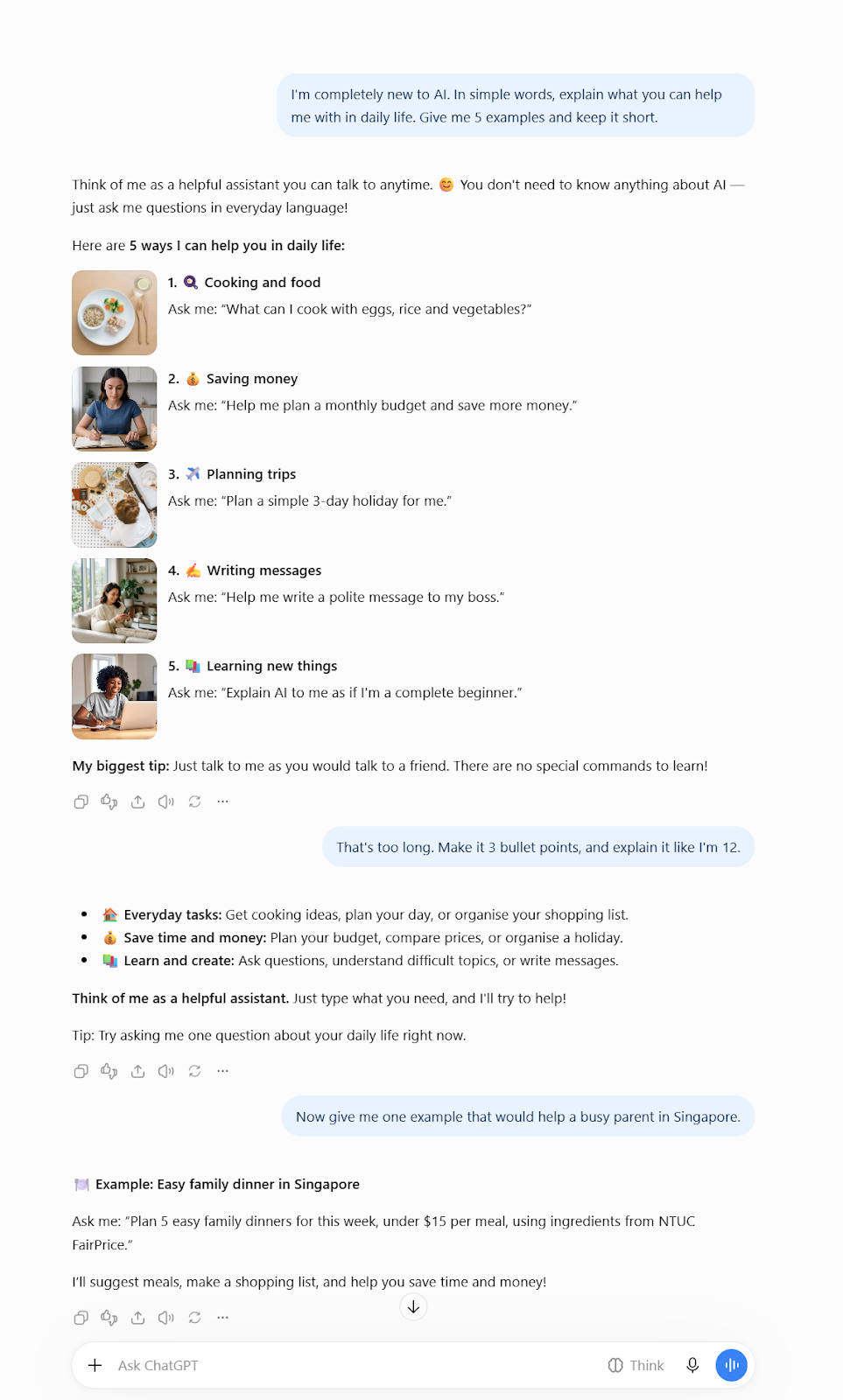
One follow-up turned a long list into 3 short bullet points.
Solve one real problem
Now use it for something you actually need. Pick whichever fits your life:
Have some fun with it
AI is also surprisingly entertaining. End your first session with something silly. It's the fastest way to get comfortable:
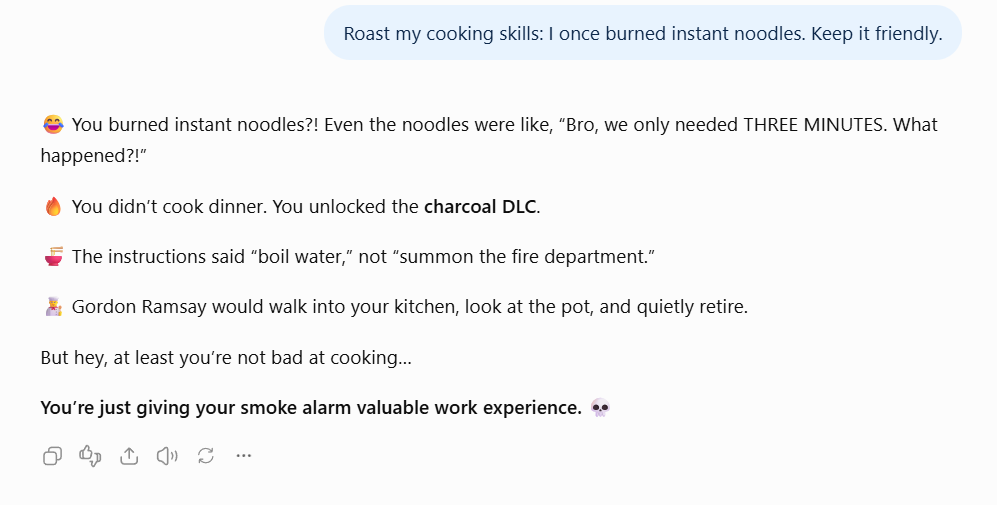
My actual result. "Charcoal DLC" hurt a little.
My real test (what went right and wrong)
I didn't want to just tell you this works, so I did the whole plan myself in ChatGPT (free version), using every prompt in this post. I added a few Singapore twists to see if it could keep up. Short version: it was easier than I expected. Here's what happened.
What went right
Follow-ups really work. My first answer was a long list with photos. One "that's too long" and it shrank to 3 tidy bullet points. When I asked for an example for a busy parent in Singapore, it mentioned NTUC FairPrice and a $15-per-meal budget without me asking.
Dinner was a win. I gave it chicken, rice, eggs and kangkong. It came back with chicken egg fried rice, soy sauce chicken with kangkong, and a chicken and egg porridge. All realistic, all under 30 minutes, and it actually used the kangkong.
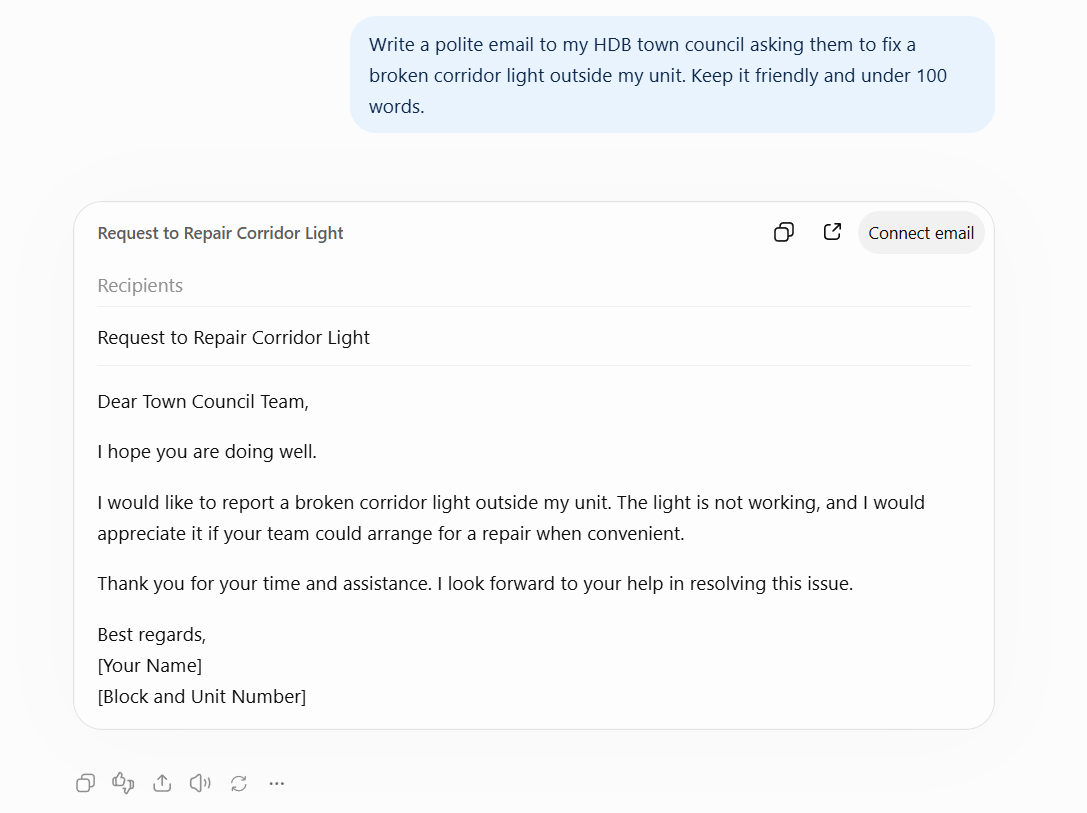
The email took 3 seconds. Filling in the blanks was my job.
The email was fast but plain. A polite note to my town council, under 100 words, done. But it said "outside my unit" with no block or floor, and left [Your Name] and [Block and Unit Number] for me to fill in. AI gets you about 80% there. The last 20% (the details only you know) is still on you.
What went wrong (or weird)
It answered a question with a question. I asked for "one example that would help a busy parent." Instead of helping, it gave me a prompt to type back into it: "Ask me: Plan 5 easy family dinners…" So the AI's advice was… to ask the AI. Thanks, buddy. (Just reply "OK, do it" and it will.)
The trap question. I tried to catch it making things up: "What's the best hawker stall at Maxwell Food Centre? Give me its stall number, opening hours and price." I expected nonsense. Instead it searched the web, picked Tian Tian Hainanese Chicken Rice, showed its sources, and even added "reported; confirm before visiting." Fair play.
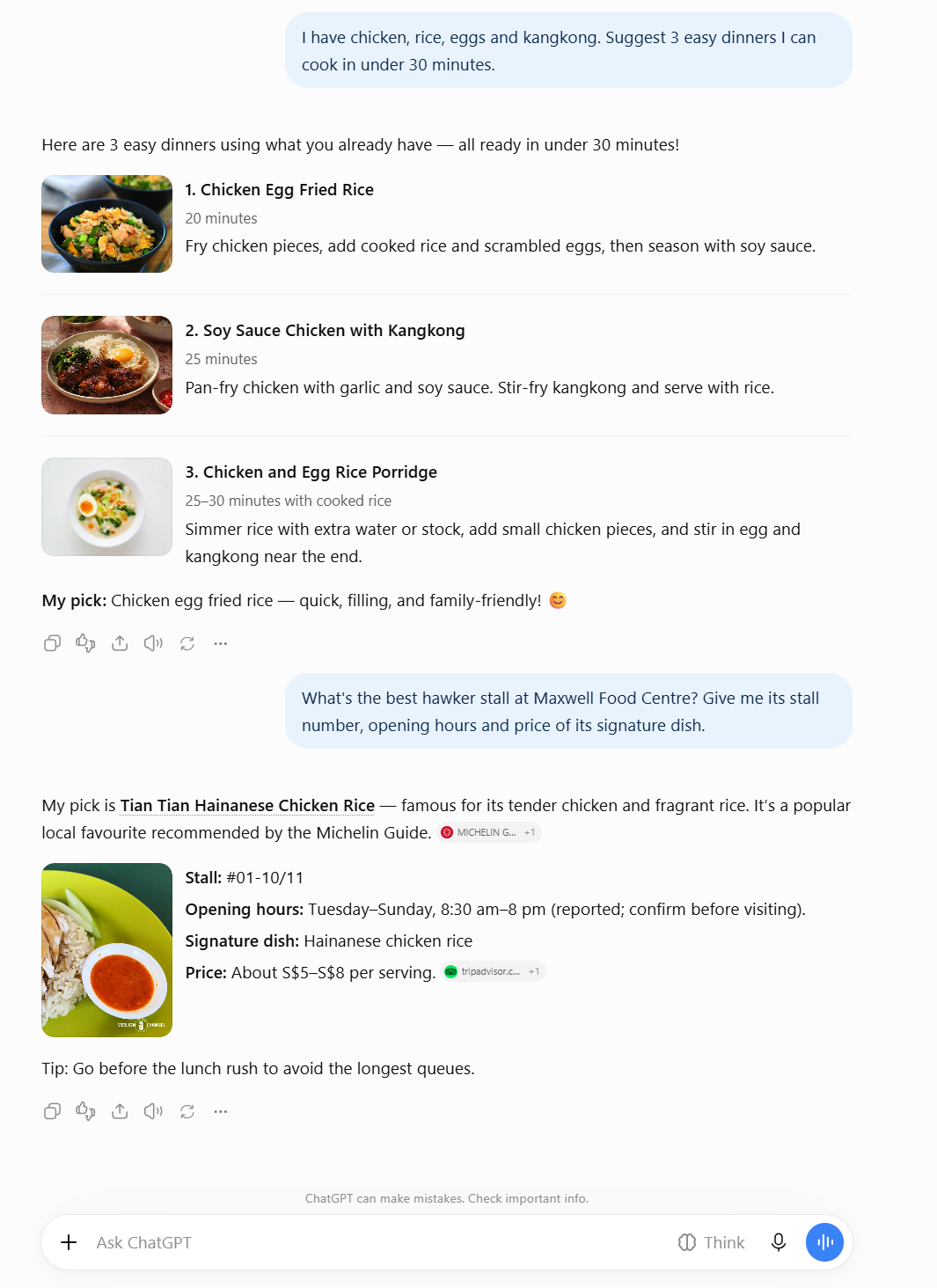
The trap question. It searched the web and told me to double-check.
I double-checked anyway. The price (S$5–S$8) matched recent reviews: a plate is around $5 to $6. The opening hours were less certain. ChatGPT said 8:30am, while one guide I found says popular stalls there open around 10am. Lesson: prices and hours change, so check before you queue.
The Monday trailer was great, except for one thing. It ended with "This July… One human. One alarm clock. Absolutely zero motivation." Very dramatic. Except I tested this in October. AI can be confidently wrong about something as simple as the month.
My verdict
The whole thing took about 15 minutes, and most of that was me laughing at the noodle roast. If you can send a WhatsApp message, you can do this. Just remember: use it for drafts and ideas, and check anything that matters.
5 beginner mistakes to avoid
- Being too vague. "Write something about dogs" gets a boring answer. "Write a funny 3-line poem about my lazy golden retriever" gets a great one.
- Giving up after one answer. Always ask for changes. "Shorter", "more casual", "add examples" are your best friends.
- Trusting every fact. Double-check names, numbers, dates, prices and anything medical, legal or financial.
- Copy-pasting without reading. AI text can sound a bit robotic. Read it and add your own words.
- Thinking you need "perfect prompts". You don't. Normal sentences work fine.
Stay safe: what never to type into AI
Also, only use the official website or app. Fake "AI" apps and browser extensions are a common scam right now.
FAQ
Is AI free to use?
Yes. ChatGPT, Claude, Gemini and Copilot all have free versions that are more than enough for beginners. Paid plans add more usage and extra features, but you don't need one to start.
Do I need to be good with computers?
No. If you can send a text message, you can use an AI chatbot.
Which AI is the best?
There's no single winner. They're all good for everyday tasks. Pick one and learn the basics; the skills transfer to the others.
Can AI be wrong?
Yes, sometimes confidently wrong. Use it for drafts and ideas, and verify important facts from trusted sources.
Is it cheating to use AI?
It depends on the rules where you use it. For personal tasks like emails, recipes and planning, it's just a tool. For school or work, check your institution's or employer's policy.
Your next step
That's it! You've gone from "what is AI?" to actually using it in 10 minutes. Tomorrow, try using it for one small task at work or at home. Small, daily use is how it becomes useful.
Your turn: What was the funniest or most useful answer AI gave you? Tell me in the comments 👇
Disclosure: Tool names are mentioned for education only. Features and free plans change often; check each tool's official site for the latest details. Some links on this blog may be affiliate links, which means I may earn a small commission at no extra cost to you.